How to Build a Butterworth Bandpass Filter for Ham Radio
TL;DR — Build a double-tuned Butterworth BPF
- What: A two-resonator bandpass filter wound on Micrometals toroids, sized for any amateur band from 160m to 2m.
- Why: Keeps your transmitted harmonics off the air, stops strong nearby signals from wrecking your receiver, and makes SDR front ends actually usable on a real antenna.
- Who it is for: Anyone running more than QRP power, using an SDR, dealing with a TVI complaint, or trying to clean up a contest station.
- Build time: 2 to 4 hours including component prep and testing.
Your neighbor calls to say the TV went haywire the moment you keyed up on 40 meters. Your receiver falls apart every time a local AM station fires up. Both of these are real problems, and both have the same fix: a bandpass filter in the right place. Put one between your transmitter and the antenna and the harmonics that were hitting the broadcast band disappear. Put one ahead of the receiver and the strong out-of-band stations stop clobbering your front end. Two problems, one relatively simple build.
This guide covers the whole process: why the Butterworth topology makes sense for ham radio, how to pick the right components for your power level, how to wind the inductors and put the board together, and how to verify the result with a VNA. The math is here if you want to dig in, but you can also go straight to the calculator, grab your component values, and come back to the theory when you are curious.
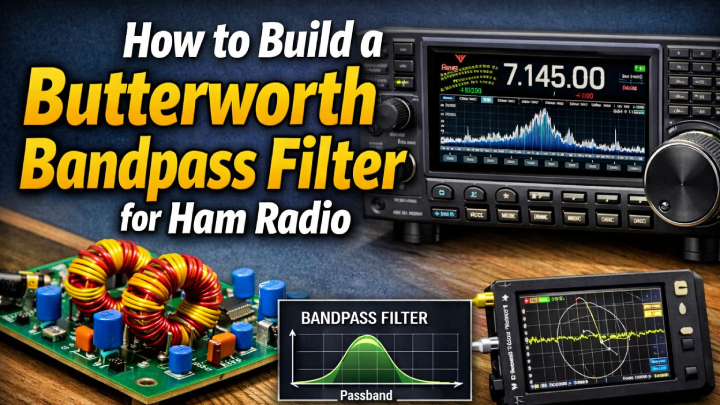
What is a bandpass filter and why does your station need one?
A bandpass filter passes signals within a specific frequency range and attenuates everything outside it. A low-pass filter cuts everything above a cutoff frequency. A high-pass filter cuts everything below one. A bandpass filter does both at once, creating a window centered on your operating frequency. Signals inside that window get through. Everything else gets rolled off, and depending on how far outside the band you go, the attenuation can be dramatic.
In a ham station you need this for two completely different reasons, depending on which direction the signal is moving.
On transmit: harmonics and spurious emissions
Every transmitter puts out some energy at frequencies it was not supposed to. The second harmonic of a 7 MHz signal lands at 14 MHz, right in the middle of 20 meters. The third harmonic hits 21 MHz on 15 meters. A modern transceiver is reasonably clean on its own, but run it through a linear amplifier and harmonic levels go up because amplifiers are not perfectly linear. A bandpass filter between the radio and the antenna removes those harmonics before they reach the coax. The FCC requires spurious emissions to be at least 43 dB below your carrier if you are running over 5 watts. A well-built bandpass filter will get you 40 to 60 dB of rejection at the second harmonic, which is well past that requirement.
On receive: IMD, receiver overload, and front-end damage
Your antenna does not know what band you care about. It brings in everything, including whatever strong signals happen to exist near your operating frequency. A commercial AM broadcast station a few megahertz away can drive your receiver's front end into compression, generate intermodulation products that show up as fake signals in your passband, and raise the noise floor across the board. At high enough levels, the front end can be permanently damaged. A bandpass filter in the receive path cuts most of that energy before it reaches the radio. This matters most for software-defined radios, which have no preselector filtering built in at all. Hook an RTL-SDR or similar device up to an outdoor antenna in a populated area and watch the waterfall fill with garbage. Add a bandpass filter and it clears up noticeably.
When you definitely need a bandpass filter
| Situation | Problem | BPF solution |
|---|---|---|
| Running a linear amplifier | Amplifiers increase harmonic levels significantly | Filter between amp and antenna to meet FCC spurious emission limits |
| Neighbor complaining about TV or audio interference | Your harmonics are landing in other services | BPF removes the harmonics before they reach the antenna |
| Using an SDR as a second receiver | SDRs have no front-end filtering; strong signals cause overload and IMD | BPF limits the input to just your band of interest |
| Multi-band contest station (SO2R) | Your second radio's signal overloads the first radio's receiver | Filters on both radios dramatically reduce crosstalk |
| Weak signal work (EME, meteor scatter) | Any out-of-band energy raises the noise floor | Tight BPF in the receive path keeps things as clean as possible |
| Operating near a broadcast transmitter | Strong signal causes front-end compression or IMD | BPF knocks the broadcast signal down before it reaches the receiver |
Why Butterworth? Understanding filter responses
Filter design is a tradeoff. You can have a very flat passband with a gentle rolloff, or you can have a steeper rolloff with ripple in the passband, or you can push the rolloff even steeper by accepting ripple in both the passband and the stopband. Engineers have worked out the math for several different approaches, each of which optimizes for something different.
| Type | Passband behavior | Stopband steepness | Phase response | Best use case |
|---|---|---|---|---|
| Butterworth | Maximally flat, no ripple | Moderate | Good | General purpose ham use, most forgiving to component tolerances |
| Chebyshev Type I | Equiripple in passband | Steeper than Butterworth | Poorer | When you need more stopband attenuation and can tolerate passband ripple |
| Elliptic (Cauer) | Equiripple in passband | Steepest for given order | Worst | When every dB of stopband rejection matters and passband ripple is acceptable |
| Bessel | Gentle rolloff | Poorest | Best (linear phase) | When phase linearity matters more than selectivity |
Butterworth is the right choice for most ham radio bandpass filter work. The flat passband means your entire operating band has about the same insertion loss, with no sweet spot in the center and drooping performance near the edges. It is also the most forgiving of component tolerances. A 5% capacitor error in a Butterworth design costs you a small amount of bandwidth accuracy. That same error in a tight Chebyshev design can shift the passband ripple amplitude significantly. And a two-resonator Butterworth built with quality components will typically give you 40 dB or more of rejection at the second harmonic, which is all you really need for most ham applications.
The double-tuned topology: how this filter works
The filter in this guide uses two identical LC resonators connected by a small coupling capacitor. Each resonator attenuates signals outside the passband on its own. The coupling between them sets the shape of the combined response. Get the coupling right and you get the Butterworth response. Get it wrong and you end up with either a double-humped passband or a narrow, lossy one. Understanding what each part does makes troubleshooting a lot easier.
The resonators (L1/C1 and L2/C2)
Each resonator is a series inductor L feeding into a shunt capacitor C that connects to ground. At the filter's center frequency f0, the reactance of L equals the reactance of C and the combination resonates. Above and below that frequency the impedance shifts and the signal gets increasingly attenuated. The sharpness of this resonance is the loaded Q, written Ql:
Ql = f0 / BW
A 40m filter centered at 7.150 MHz with 300 kHz bandwidth gives Ql = 7150 / 300 = 23.8
Higher Ql means a narrower passband and sharper skirts. It also means higher voltage stress on the capacitors, which matters a lot at transmit power levels, and more sensitivity to component tolerances. The 30m allocation is only 50 kHz wide, which pushes Ql up around 200. That is why 30m filters are genuinely difficult to align compared to 40m or 20m builds. For a first project, 40m or 20m is the easier target.
The coupling capacitor (Cc)
A small series capacitor connects the two resonators. The ratio of Cc to C1 and C2 sets the coupling coefficient k, and that coefficient determines whether you get a Butterworth response or something else. The Butterworth condition is:
k = 1 / (sqrt(2) x Ql)
This specific coupling coefficient produces the maximally flat Butterworth passband
Too much coupling and the two resonators fight each other, producing a double-humped passband with a dip in the center. Too little and the passband collapses into something narrow and lossy. The Butterworth value of k lands exactly at critical coupling, which is the flattest response you can get from this topology.
The complete signal path
RF enters the input port from a 50 ohm source, travels through L1 in series, arrives at Node 1 where C1 shunts some energy to ground, crosses through Cc to Node 2 where C2 does the same thing, then passes through L2 in series to the 50 ohm output. The circuit is completely symmetrical, so it works identically in both directions. You can use it on transmit, on receive, or in a switched T/R circuit.
Power handling: the most important thing to get right
More homebrew filters fail from wrong component ratings than from any other cause. The mistake is treating the filter like a passive piece of wire and choosing capacitors based on their DC rating or whatever happened to be in the parts bin. Inside a resonant RF circuit, the voltages and currents at the internal nodes are considerably higher than what you measure at the ports, and the reason is resonant voltage multiplication.
Calculating voltage stress on the capacitors
In a 50 ohm system, the peak RF voltage at the input port is:
Vpeak = sqrt(2 x P x Z0)
| Power level | Vpeak at port | Approx. V stress on C1/C2 | Minimum cap rating |
|---|---|---|---|
| 5 W (QRP) | 22 V | ~150 V | 200 V QRP |
| 100 W | 100 V | ~600 V | 1000 V 100W |
| 500 W | 224 V | ~1500 V | 2000 V QRO |
| 1500 W (legal limit) | 387 V | ~2500 V | 3000 V QRO |
Voltage stress figures are approximate and account for resonant voltage multiplication at Ql around 20. Treat the minimum rating as a hard floor and add at least 50% margin on top of it.
The reason the stress on C1 and C2 is so much higher than the port voltage is that energy is circulating between L and C at resonance. The reactive current through the capacitor multiplies the effective voltage by a factor related to Ql. On 40m with Ql around 24, a 100W input with 100V peak at the port puts approximately 600V peak across the resonating capacitors. A cheap ceramic disc rated for 50V will fail immediately, and it will usually fail loudly.
Wire gauge and current rating
The inductors carry both the signal current and the reactive circulating current at the resonant nodes. Use wire that is rated for the job:
| Power level | Port current (rms) | Minimum wire gauge | Recommended |
|---|---|---|---|
| QRP (5W or less) | 0.32 A | 28 AWG | 26 AWG for margin |
| 100W | 1.4 A | 22 AWG | 20 AWG for margin |
| 500W | 3.2 A | 17 AWG | 16 AWG, use T106 or larger core |
| 1500W | 5.5 A | 14 AWG | QRO filter design, copper tube winding |
Never use X7R, Z5U, or Y5V capacitors in RF filters
These dielectrics are both temperature and voltage dependent. Capacitance can shift by 20 to 80 percent with temperature or applied voltage. In a resonant filter that means your center frequency wanders as the components warm up, and it wanders a lot. They also have significant dielectric loss at RF frequencies, which raises insertion loss and can cause the capacitor itself to heat up and eventually arc over. The only ceramic dielectric that belongs in an RF filter is NP0, also sold as C0G. NP0/C0G capacitors are temperature stable to about 30 ppm per degree Celsius, have virtually no voltage coefficient, and exhibit very low loss across the HF range. Spend the extra money. You will not regret it.
Capacitor types by power level
| Capacitor type | Max power | Voltage range | Notes |
|---|---|---|---|
| NP0/C0G ceramic (SMD or leaded) | Up to 100W | Up to 500V | Best choice for QRP through 100W builds. Excellent stability and low loss. |
| Silver mica | Up to 500W | Up to 1000V | The classic RF capacitor. Superb stability and Q. Harder to find in uncommon values. Good default for medium-power HF. |
| Polystyrene | Up to 200W | Up to 600V | Excellent Q and temperature stability. Keep it away from heat during soldering. Good for receive-only builds. |
| ATC (American Technical Ceramics) | Up to 1500W and beyond | Up to 2000V and beyond | Purpose-built RF capacitors. Expensive, but the right answer for QRO builds. |
| Vacuum variable | Legal limit and beyond | Thousands of volts | Used in legal-limit amplifier output circuits and commercial broadcast equipment. |
Component selection: toroid cores
The inductor is the part that determines how well your filter performs. Commercially wound inductors are rarely available in the exact values needed for HF bandpass work, so winding your own toroids is the standard approach. Micrometals cores are what most builders use. They are consistent between batches, the AL values are well documented, and you can buy them from normal distributors in the US. Cores from unknown Chinese suppliers often have unspecified tolerances and are sometimes mislabeled. Buy genuine Micrometals.
Micrometals cores are identified by size and mix. The size number is roughly the outer diameter in hundredths of an inch, so a T68 is about 0.68 inches across. The mix number describes the ferrite material and determines loss characteristics versus frequency.
| Mix | Color | Best bands | AL (T50) | AL (T68) | Notes |
|---|---|---|---|---|---|
| Mix 2 | Red | 160m through 40m (1 to 10 MHz) | 49 nH/t² | 57 nH/t² | Highest permeability in the HF range. Go-to for lower frequencies where you need higher inductance values. |
| Mix 6 | Yellow | 20m through 10m (10 to 50 MHz) | 40 nH/t² | 47 nH/t² | Lower loss at higher frequencies. Required for 20m and above. Lower AL means you need more turns for the same inductance. |
| Mix 15 | Red/white | 160m through 80m | 135 nH/t² | N/A | High inductance per turn. Useful for 160m builds where you need a lot of inductance. |
| Mix 17 | Blue/yellow | 50 MHz through 200 MHz | N/A | N/A | VHF mix. Use for 6m and 2m filter construction. |
How to calculate turns for a target inductance
Once you know the AL value for your core, turns count is just:
N = sqrt( LnH / AL )
Example: T68-2 core (AL = 57 nH/t²), target L = 3842 nH (40m). N = sqrt(3842 / 57) = sqrt(67.4) = 8 turns
Round to the nearest whole turn, then measure the actual inductance with an LCR meter. The AL tolerance on most Micrometals cores runs about plus or minus 10 percent, which is why measuring before you solder anything is not optional. If you are low, add a turn and re-measure. If you are high, remove one. You can also fine-tune by spreading or squeezing the winding slightly on the core.
Core size selection guidelines
| Band | Core | Reason |
|---|---|---|
| 160m | T106-2 | Large core needed to hit the required inductance without too many turns. 22 AWG wire fits comfortably. |
| 80m, 60m, 40m | T68-2 | Good balance of inductance per turn, winding space, and unloaded Q for these frequencies. |
| 30m, 20m | T50-2 | Sufficient inductance per turn. Compact. Holds up well at these frequencies. |
| 17m, 15m, 12m, 10m | T50-6 | Mix-6 required for acceptable loss above 14 MHz. T50 size gives enough winding space for the turn counts needed. |
| 6m, 2m | T37-6 | Small core, Mix-6. Very few turns at VHF so physical layout and lead length matter a lot. |
Where to buy Micrometals toroids
Mouser Electronics, DigiKey, and Kits and Parts (kitsandparts.com) all stock Micrometals cores. Kits and Parts often sells sorted bags of common values for ham radio projects, which is handy if you are building multiple filters. Fair Radio Sales is another option. Avoid generic cores from unknown suppliers on Amazon or AliExpress. The AL tolerance is usually not specified and the mix designations are frequently wrong.
Tools and test equipment you will need
| Tool | Required? | Purpose |
|---|---|---|
| Fine-tip soldering iron, 20 to 40W, temperature controlled | Required | Soldering small RF components. A chunky iron will overheat NP0 caps and damage winding insulation. |
| LCR meter (DE-5000 or Atlas LCR45 are popular choices) | Strongly recommended | Verify actual inductance of wound toroids. Without one you are guessing at alignment. |
| VNA (nanoVNA, TinySA Ultra, etc.) | Strongly recommended | Measure insertion loss, bandwidth, and frequency response of the finished filter. |
| Small drill and copper-clad board | Required | For Manhattan-style construction or PCB work. |
| Wire stripper and needle-nose pliers | Required | Stripping magnet wire and bending leads. |
| Heat-shrink tubing and flux | Required | Clean up your solder joints. Flux makes a real difference on small RF work. |
| Toroid winding dowel or short piece of PVC pipe | Optional | Helps keep turns even on small cores. A short piece of 1/4 inch dowel works well for T50 cores. |
| Calipers or millimeter ruler | Optional | Useful for checking physical spacing in Manhattan construction. |
Interactive Bandpass Filter Calculator
Pick your band and the calculator works out all component values, core specs, and draws the schematic.
| Ref | Description | Qty | Value | Notes |
|---|
Step-by-step construction guide
The steps below assume Manhattan-style construction on a copper-clad board, which is the fastest approach for a one-off build. PCB construction works just as well. The layout rules are the same either way.
Measure every capacitor with your LCR meter before anything gets soldered. NP0 ceramics usually read very close to their marked value, within 5 percent or so. Reject anything that is off by more than 10 percent. For C1 and C2, the two shunt resonating caps, try to match them within 2 percent of each other. The two resonators need to be as close to identical as you can make them. A mismatch here is the most common reason for an asymmetric or distorted passband.
For Cc, the coupling cap, exact value is what sets the Butterworth response. If you cannot source the calculated value, use a small trimmer capacitor instead. A 1 to 100 pF trimmer works for most bands and lets you align the filter after assembly. This is actually the smarter approach for a first build because it gives you a second chance if the calculated value is slightly off.
Cut a piece of enameled magnet wire roughly three times the circumference of your core per turn, then add about three inches on each end for leads. For a T68 core with ten turns that works out to about 65 inches of wire total. Use the gauge from the parts list above.
How to wind: Thread the wire through the center of the core and back over the outside to complete one turn. Count turns by counting how many times the wire passes through the center hole. The first pass is turn one. Keep the turns evenly spaced and always wind in the same direction.
Coverage: The winding should cover roughly 270 to 300 degrees of the toroid. Leave a gap of about 60 to 90 degrees bare between the two ends. If your turns end up going all the way around, remove one. A fully covered toroid has higher inter-winding capacitance, which lowers the self-resonant frequency and can cause problems at higher HF bands.
After winding: Sand or scrape the enamel off the last 10mm of each lead, tin both ends with solder, then measure the inductance on your LCR meter at 100 kHz. If you are within 5 percent of target, the coil is good. If it reads low, add a turn. If it reads high, remove one. Small adjustments can also be made by gently pressing the turns together (raises inductance) or spreading them apart (lowers it).
For Manhattan construction on a copper-clad board, start with a piece about 3 x 5 cm for bands 30m and higher, or 4 x 7 cm for 80m and 160m. The copper surface is your ground plane. Components that connect to ground solder directly to it. Components that are not grounded get mounted on small isolated pads cut from spare copper-clad and superglued to the board.
Keep the signal path short and straight. Input connector on one end, output on the other, filter components in a line between them. L1 and L2 should be oriented at 90 degrees to each other, or at minimum 1 cm apart. Stray magnetic coupling between the two inductors bends the passband shape and hurts stopband rejection more than almost anything else you can do wrong physically.
Mark pad locations for C1, Cc, and C2 with a marker, then cut them out using a sharp knife or PCB pad cutter. Each pad should be around 6 x 6 mm for through-hole components.
C1 goes from Node 1 to ground. C2 goes from Node 2 to ground. One lead of each cap solders to its island pad, the other lead solders directly to the copper ground plane. Trim the leads to about 3mm above the pads before soldering. Long leads add stray inductance, which shifts the resonant frequency up and becomes a real problem at 17m and above. If you are using SMD NP0 caps, 0805 or 1206 are the easiest sizes to hand solder and have essentially no lead inductance at all.
Check every joint. A good solder joint is shiny and slightly concave. A dull or grainy joint is a cold joint with variable resistance that will change as the filter warms up during use. Reheat anything that looks suspect.
Cc connects between Node 1 and Node 2, in series with the signal path. It does not connect to ground. One lead solders to the Node 1 pad, the other to the Node 2 pad. If the leads are short enough to support the body of the cap, you can let it float. Otherwise a small piece of foam or a dab of hot glue under the cap keeps it stable.
If you are using a trimmer for Cc, which is the recommended approach for a first build, mount it so the adjustment screw is accessible after you put the board in its box. Use a plastic screwdriver to adjust it. A metal tool disturbs the field in the cap and your reading will be off when you pull it away.
L1 connects in series from the input side to Node 1. Neither lead goes to ground. Orient L1 so its plane is upright if you can. For T50 and T68 cores, you can bend the leads at 90 degrees and solder them to pads directly on the copper surface.
Install L2 the same way between Node 2 and the output. Rotate L2 so its axis is 90 degrees from L1 in the horizontal plane. This is the single most important thing you can do to reduce stray coupling between the two inductors.
After both coils are in, re-measure inductance in-circuit if your LCR meter allows it. You can do small final adjustments here by pressing turns together or pulling them apart slightly on the core. This is your last chance to trim before testing with RF.
Add SMA, BNC, or SO-239 connectors at the input and output. The connector body needs a solid solder connection to the ground plane, not just the center pin. For SMA and BNC, pre-tin the connector flange and use a wider iron tip to solder it directly to the copper surface.
For bands 20m and above, or in any installation near strong RF sources, enclose the board in a metal box. Shielding stops signals from coupling directly into the board and bypassing the filter entirely. A small Hammond aluminum box works well. The lid should make continuous contact with the board's ground plane around the whole perimeter, not just at a corner or two.
Before you run any real power through it, test the filter at low power first. Your HF radio in CW mode at 1 to 5 watts with a dummy load on the output side works fine. Connect the filter between the radio and the load. Key up on the band you built the filter for. SWR should be close to 1:1 across the whole band, and definitely within 1.5:1. A high SWR reading says the filter input impedance is off, which usually means C1 or L1 is significantly out of spec.
If you do not have a VNA yet, use a second receiver or SDR on the output side. Tune the transmitter above and below the band and watch the signal drop off sharply once you leave the passband. A clear rolloff within 500 to 1000 kHz of the band edge is a good result. A very gradual rolloff usually means Cc is too large and the filter is over-coupled.
Testing and alignment with a VNA
A nanoVNA costs about 60 dollars and turns filter testing from guesswork into actual measurement. The S21 transmission plot will show you insertion loss, passband shape, bandwidth, and harmonic rejection all at once. It is genuinely one of the most satisfying things to look at when a filter comes together correctly.
What good numbers look like
| Parameter | Target value | Notes |
|---|---|---|
| Insertion loss at f0 | Less than 1.0 dB | Loss is mostly from winding resistance. Heavier wire and high-Q cores help. |
| 3 dB bandwidth | Within 10% of calculated BW | Tracks directly with how accurate your component values are. |
| Attenuation at 2nd harmonic | More than 40 dB | Measure at 2 x f0. Should be deeply buried. |
| Return loss (S11) in passband | More than 15 dB, SWR below 1.5:1 | A well-matched filter presents close to 50 ohms in the passband. |
| Passband ripple | Less than 0.5 dB | Butterworth should be very flat. Ripple means the two resonators are not matched. |
Alignment with a trimmer at Cc
- Set up the VNA for S21 and sweep from about half to double your target center frequency.
- Look at the passband shape. Two humps with a dip in the middle means Cc is too large and the filter is over-coupled. Reduce it. A narrow peaked passband with high insertion loss means Cc is too small. Increase it.
- Adjust the trimmer in small steps. You are looking for a single smooth rounded peak centered on f0 with equal slopes on both sides. That is the Butterworth response.
- If the center frequency is off, adjust C1 and C2 for large corrections, or carefully squeeze or spread the toroid turns for small ones. Spreading turns slightly raises f0. Squeezing them slightly lowers it.
- Once you are happy with the alignment, note the trimmer setting. If you want to replace the trimmer with a fixed cap, measure the trimmer with your LCR meter at that setting and substitute the closest standard value. Trim the exact value by adding a small parallel cap if needed.
Troubleshooting
Common problems and fixes
| Symptom | Likely cause | Fix |
|---|---|---|
| High insertion loss, more than 2 dB | Turns wound too tightly; wrong core mix; bad solder joint on a toroid lead | Confirm core is the correct mix; re-check every toroid solder joint; spread turns slightly |
| Double-humped passband | Cc too large, filter is over-coupled | Reduce Cc value; measure it with LCR and recalculate |
| Passband too narrow with high loss | Cc too small, filter is under-coupled | Increase Cc value |
| Center frequency is low | Inductance higher than calculated; stray lead inductance | Measure L1 and L2 in-circuit; remove a turn from each; trim leads shorter |
| Center frequency is high | Inductance lower than calculated | Measure L1 and L2; add a turn to each |
| Passband asymmetric, one side steeper | L1/C1 and L2/C2 resonant frequencies do not match | Measure each resonator separately and adjust turns on whichever one is resonating higher |
| High SWR in the passband | Impedance not 50 ohms; components significantly off value | Re-verify all component values with LCR meter; check for cold solder joints |
| Filter gets hot during transmit | Capacitor breakdown or wire gauge too small for the power level | Check cap voltage rating against actual power; upgrade wire gauge; verify you are not over-driving the design |
| Filter oscillates or has unexpected response peaks | Stray coupling between L1 and L2; not enough shielding | Rotate toroids to 90 degrees relative to each other; put the board in a metal box |
Where to install the filter in your station
The location determines what problem the filter actually solves. A filter in the wrong place does nothing useful.
| Installation point | Solves | Notes |
|---|---|---|
| Between radio and antenna, transmit path | Harmonic emissions, TVI, audio interference complaints | Must be rated for your transmit power. Most common installation. |
| Between amplifier and antenna | Amplifier-generated harmonics | Must be rated for full amplifier output. Use silver mica or ATC caps at legal limit power levels. |
| Between antenna and receiver input | IMD, front-end overload, raised noise floor | Receive-only so voltage rating is not a concern. Focus on keeping insertion loss low. |
| Between antenna and SDR | SDR overload from broadcast stations | Critical for any wideband SDR. Even a simple BPF makes a noticeable difference on the waterfall. |
| In a T/R relay circuit | Both transmit harmonics and receive IMD at the same time | Filter handles TX and RX. Must be rated for TX power. |
Scaling up: switchable filter banks
Once you have built one filter and understand how it works, the obvious next step is a full bank, one filter per band, switched automatically when you change frequencies. That is the setup in most serious SO2R contest stations. The concept is simple: eight to twelve filters on a relay board, switched by the band data output from the radio.
W3NQN (Nick Tusa) published a well-regarded set of bandpass filter designs for all the HF bands in QST and the ARRL Handbook. These have been widely reproduced and kit versions are available from several vendors. The topology is essentially what this guide describes, with values optimized for each specific band. If you want a complete switchable filter bank for a contest station, the W3NQN designs are the accepted starting point.
Most modern transceivers provide band data on an accessory connector. Icom uses a BCD code on the ACC port. Yaesu and Kenwood have similar outputs. You can also read band data from the CAT interface with a small microcontroller like an Arduino or ESP32 if your radio does not have a dedicated band bus. Standard RF relays rated for your power level handle the switching without trouble.
Frequently Asked Questions
Do I need a bandpass filter for my ham radio station?
You need one if you run a linear amplifier, you have a TVI complaint from a neighbor, you use an SDR as a second receiver, you operate near a strong broadcast transmitter, or you run multi-radio contest setups. A bandpass filter cleans up transmit harmonics and protects receivers from out-of-band overload, and it is one of the highest-value upgrades a station can make.
Why use a Butterworth response instead of Chebyshev or Elliptic?
Butterworth gives a maximally flat passband with no ripple, which means roughly equal insertion loss across your entire band. It is also the most forgiving topology when components are slightly off their marked values. Chebyshev and Elliptic filters can roll off faster, but they require tighter component tolerances and add ripple in the passband, which is rarely worth it for amateur radio use.
What capacitor type should I use for the resonator caps?
NP0/C0G ceramic capacitors are the right choice up to about 100 watts because they have negligible drift with temperature and a very high Q. For 100 to 500 watts use silver mica capacitors, which are stable and tolerate high voltage. For QRO levels above 500 watts, use ATC porcelain or other transmitting-grade ceramic capacitors rated for high RF current. Never use class 2 ceramics like X7R, Y5V, or Z5U in a resonator, since their value changes with applied voltage and temperature.
What core material should I wind the inductors on?
For HF amateur bands, Micrometals Mix 2 (red) cores like the T50-2, T68-2, or T106-2 are the standard choice from 160m through 15m. Mix 6 (yellow) cores like the T50-6 are better for 12m and 10m where you want lower losses at higher frequencies. For 6m and 2m, Mix 10 or air-wound coils work well. Avoid ferrite cores for resonator inductors because they are too lossy at HF.
How do I align a finished filter without a VNA?
A nanoVNA at around 60 dollars is genuinely the right tool for this and is the recommended approach. If you really must align without one, you can use a signal generator and an oscilloscope or RF power meter to plot the response point by point, but it is slow and you will not see the full sweep. An antenna analyzer in transmission mode also works for rough alignment if it covers your band.
Can I put one bandpass filter at the antenna and use it for multiple bands?
No. Each filter is built for one specific band. To cover multiple bands you build a filter for each band and switch between them with relays. This is exactly how W3NQN-style switchable filter banks and commercial units like the Array Solutions BPF series work, with band data from the radio selecting the correct filter automatically when you change bands.
Building your first bandpass filter
A double-tuned Butterworth bandpass filter is one of the more useful things you can build for an HF station. It solves real problems on both the transmit and receive sides, and it costs a fraction of what commercial filters go for. The actual construction is not difficult if you have soldered anything before. The toroid winding is the part that trips people up, but an LCR meter turns that from a guessing game into a straightforward measurement task.
- Use the calculator above for your component values, core type, and turns count for any band from 160m through 2m.
- Pick the right capacitor for your power level. NP0/C0G up to 100W, silver mica up to 500W, ATC for QRO work.
- Measure every component with an LCR meter before it goes in the circuit. Most alignment problems trace back to a component that was off and nobody checked.
- Test the finished filter with a VNA. A nanoVNA at 60 dollars is cheap compared to what you will learn from using one.
- Put the filter in the right place. Transmit path for harmonic problems, receive path for IMD and SDR overload.
The Projects section has more construction guides and the SDR section goes deeper on preselector design for software-defined radios. Build the filter, install it, and enjoy having a cleaner station.
