Every new ham eventually runs into the "repeater wall". You can hear repeaters for miles, but actually getting into one feels like wizardry. Offsets, PL tones, linked nets, oddball menus on your handheld - it all blurs together. This guide breaks down how ham radio repeaters work in plain language so you can program your radio, key up with confidence, and stop wondering why everyone else can use that local machine except you.
Think of a ham radio repeater as a shared signal booster for the whole community. Your little handheld or mobile transmits up to the repeater site, usually on a tower, mountain, or tall building. The repeater cleans up your signal and rebroadcasts it on a second frequency at much higher power, so everyone else can hear you. The catch is that your radio and the repeater have to agree on a small handful of settings, or nothing works.
The good news: those settings are almost always the same few things repeated over and over. Once you understand repeater offset, PL or CTCSS tones, and how linked repeaters and nets behave, the mystery goes away. If you still need help picking that first radio, hit the getting started page and then come back here when you're ready to talk through a machine.
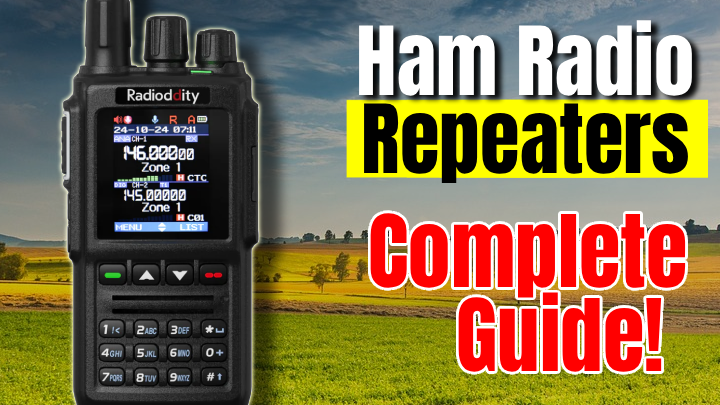
What a ham radio repeater actually does
A repeater is just a receiver, a transmitter, and some smart filtering tied together. The receiver listens on one frequency, called the input. When it hears a valid signal, the transmitter immediately re-transmits that audio on a different frequency, called the output. Everyone in range of the repeater listens on the output, so one handheld on a city street can suddenly be heard across a whole county.
Most VHF and UHF ham radio repeaters sit on towers, water tanks, mountaintops, or tall buildings. Height is free range. The repeater’s antenna system is usually far better than anything at a typical home QTH, and the transmitter might be running 25 to 100 watts or more. That’s why you can hear a repeater with a rubber duck antenna while your simplex range might only be a mile or two. If you want a deeper dive on how antennas and height change coverage, the antenna section is worth a read later.
Quick cheat sheet: offsets and tones for common ham repeaters
| Metric |
Typical Value |
Why It Matters |
| 2 m repeater offset |
±0.600 MHz (600 kHz) |
Your radio has to transmit 600 kHz above or below the listed repeater frequency or the machine never hears you. |
| 70 cm repeater offset |
±5.000 MHz |
Same idea on UHF: wrong offset direction or amount is a top reason new hams can hear but not get into a repeater. |
| PL / CTCSS tones |
Usually 67.0–250.3 Hz |
The repeater only opens for signals carrying the correct tone, which keeps noise and random carriers from keying it up. |
How repeater offset and split frequencies actually work
When you see a repeater listed as "146.940 (-)" or "443.100 (+)", that plus or minus sign is the offset direction. The number (often 0.600 MHz on 2 m and 5.000 MHz on 70 cm in the US) is the offset amount. You listen on the repeater’s output frequency and your radio automatically transmits on the input, shifted up or down by the offset.
- Step 1: Look up your repeater in a directory (local club page, RepeaterBook, RFinder, etc.) and note the output frequency, offset, and tone setting.
- Step 2: On your radio, set the receive frequency to the repeater’s output, choose the correct offset direction and amount, then enable tone mode (T or T-ENC) with the listed PL/CTCSS or DCS value.
- Step 3: Test by giving your callsign on an uncrowded moment. If you don’t get a courtesy beep or reply, recheck the tone, offset direction, and that you’re not in simplex mode by mistake.
PL tones, CTCSS, DCS, and why some repeaters ignore you
PL tones, also called CTCSS tones, are low frequency audio tones that ride along under your voice when you transmit. The repeater listens for a specific tone value. If it hears the right one, it keys the transmitter and passes your audio through. If the tone is missing or wrong, the repeater stays silent, even if your RF signal is strong enough. DCS works the same way in practice, but uses a digital code instead of an audio tone.
- On most radios, "TONE" or "T-ENC" means you are transmitting a CTCSS tone.
- "TSQL" usually means you’re transmitting and also using a tone to open your own squelch - handy but not required.
- "DCS" or "DTC" means you’re using a digital code instead of a tone. Match what the repeater listing calls for.
Many new hams get stuck here because their radio defaults to no tone, or the tone value is wrong by one step. If a repeater says "PL 100.0" then "CTCSS 100.0 Hz", "Tone 100", or "T 100.0" in your menu are all the same thing. If the listing calls for DCS, you need the exact code and polarity (for example "DCS 023N" vs "023I" on some programming software).
Repeaters vs simplex: when to use which
Just because you have a repeater in range doesn’t mean you should always use it. Simplex is radio-to-radio on a single frequency with no infrastructure in the middle. It’s great for short range, local events, or backup during emergencies when repeaters might be down. Repeaters shine when you need more coverage than two small radios can manage by themselves.
- Use simplex for quick chats when you know the other station is close and in the clear.
- Use a repeater when you’re trying to reach mobile stations across town, check into a net, or talk with the wider local group.
- Switch to simplex if the repeater is busy or you’re testing antennas and want to avoid tying up a popular machine.
Why you can hear a repeater but not transmit into it
This one frustrates almost every new operator. The repeater sounds loud and clear, so it must be in range. You key the mic, say your callsign, and nothing comes back. No voice, no courtesy beep, maybe not even a blip on the S-meter. Here are the usual suspects in roughly the order they show up in the real world.
First, double-check the mechanical stuff: are you on the right frequency, with the correct offset direction, and with tone or DCS enabled at the right value? If any one of those is wrong, the repeater will ignore you. It’s easy to program the receive frequency correctly but leave your radio in simplex mode, so it never shifts to the input frequency when you transmit. Some radios show "+" or "-" on the display when the offset is active. If you don’t see it, you may still be in simplex.
If the settings are right, start looking at your signal. A 5 watt handheld with a stock rubber duck will hear farther than it can talk, especially indoors. Move outside, stand near a window, or get higher. Even moving a few meters can push you over the edge from "almost there" to "solid into the machine." If you’ve got an SDR hooked up, like something from the SDR articles, you can often see whether your signal is even making it to the repeater input frequency at all.
Terrain matters too. You might be in a valley or behind a hill relative to the repeater. Just because you hear the repeater’s high power output doesn’t mean your lower power input path is equally good. That mismatch is a huge part of the repeater wall feeling. Don’t be afraid to experiment with locations, antennas, and a mobile radio later on if your local repeaters are all off in one direction behind hills or buildings.
Linked repeaters, networks, and how linked nets behave
Some repeaters are linked together so your audio goes far beyond one RF footprint. Links can be RF hops on another band, microwave links, or internet-based systems like EchoLink, AllStar, DMR, YSF, or D-STAR. To you as the operator, it usually feels the same: you key up one repeater, and stations from other cities or even other countries answer.
A linked net is just an organized on-the-air gathering that uses one of these repeater networks. You check in on your local repeater, but your traffic is heard across all the linked machines. Linked nets can move quickly, so listen for a while to the flow before you jump in. Net control will usually call for "check-ins from XYZ county" or "mobile and short-time check-ins" first, then general stations.
When repeaters are linked, timing and courtesy are even more important. Extra delay creeps in as audio moves across the network. If you unkey the moment you finish your last syllable, you may chop off your own callsign or stomp on net control coming back. Leaving a second or two of dead air after each transmission helps the system reset and lets new stations break in cleanly.
Practical tips for actually using your local repeater
Once the concepts make sense, the real learning happens on the air. You don’t need to be a repeater engineer to be a good user. You just need a few habits that keep things smooth for everyone sharing the system.
- Program your local "home" repeater into memory with the correct offset, tone, and a clear name, then test it during a quiet time with a simple "This is YOURCALL, testing" and listen for a response or courtesy beep.
- Get used to leaving a short pause between transmissions so others can break in. Key the mic, wait half a second, then start talking. Unkey cleanly and count "one-one thousand" before you reply again.
- Keep an eye on your environment: avoid shouting into the mic, avoid noisy backgrounds, and bump power up only when needed instead of leaving your handheld at max all day.
Frequently Asked Questions
Why is there an offset on a ham radio repeater?
A repeater listens on one frequency and transmits on another. The offset is the spacing between those two so the repeater can receive your signal while it is transmitting on a different frequency without the transmitter overloading its own receiver.
What does a PL or CTCSS tone actually do?
PL or CTCSS tones are low frequency audio tones your radio adds when you transmit. The repeater listens for the correct tone and only opens for signals that have it. This keeps random noise or distant stations from keying the repeater.
Why can I hear a repeater but not get into it?
Most of the time you can hear a repeater but not hit it because your radio is misconfigured or your signal is weak. Common issues are wrong offset direction, wrong tone, low power, a poor antenna, or simply being too far away or blocked by terrain.
What are linked repeaters and linked nets?
Linked repeaters pass audio between two or more repeaters, often through RF links or over the internet. A linked net is a regular on-air gathering that uses those connections so one check-in can be heard across a larger region or even worldwide.
How should a new ham behave on a local repeater?
Listen first, use your callsign clearly, avoid long key-down times, and leave short pauses so other stations or emergency traffic can break in. Follow any posted repeater rules and be polite with timing and language.
What is the difference between PL, CTCSS, and "tone" on my radio?
They all refer to the same thing: a continuous low-frequency audio tone your radio adds to the transmit audio. PL was Motorola's brand name, CTCSS is the technical name, and most menus simply call it "tone". As long as the number, for example 100.0 Hz, matches the repeater listing, you are good.
Bringing repeaters into your everyday ham radio use
Ham radio repeaters aren’t magic, and they’re not meant to be a barrier. They’re just shared tools that extend the reach of your handheld or mobile if you understand a few basic settings. Offset handles the two frequencies, PL or CTCSS and DCS tones control access, and linked systems widen the footprint for nets and wider coverage. Once those ideas click, ham radio repeaters stop being confusing menus and start being useful infrastructure you can count on.
- Remember the core recipe for any repeater: output frequency, offset, tone or DCS, and any special notes.
- If you can hear but not get in, re-check programming first, then experiment with location, antenna, and power level.
- Use repeaters respectfully: listen first, leave pauses, and follow any posted guidelines from the repeater owner or club.
If this guide helped you get past the repeater wall, save the memory in your radio, program a second local machine, and then go explore. The more comfortable you get with offsets and tones now, the easier digital modes, cross-band links, and more advanced systems will be later on.